How to keep an AI character consistent across animation frames
Character consistency does not come from repeating more adjectives. It comes from reducing what the model must re-decide each frame: lock the reference, camera, outfit, weapon, proportions and light, and allow only the action to change.
Verified by the FrameSprite Workflow Lab · 2026-08
Short answer
Use one full-body, unobstructed reference on a clean background. Keep a short, fixed identity anchor, generate one action at a time with a locked view, and validate a 6–12 frame cycle before expanding. When drift begins, return to the earliest bad frame instead of continuing from it.
Reproducible steps
- 01
Write an immutable identity anchor
Record only visible, verifiable traits: hair silhouette, primary colors, outfit layers, weapon shape and body proportions. Keep camera, emotion and motion out of the identity anchor.
- 02
Match the reference view to the target action
Use a full-body side view for platformer walks and a three-quarter top view for top-down games. Asking the model to rotate the character during motion greatly increases face, outfit and weapon drift.
- 03
Generate one action at a time
Split ‘run, jump and attack’ into separate run, jump and attack clips. Start each from the same identity reference, then combine them in the engine state machine.
- 04
Constrain loops with start and end poses
For loops, keep facing, foot placement and weapon pose compatible at the start and end. For one-shots, define the final pose so the model does not invent extra motion.
- 05
Review each frame by body region
Review face, hair, upper outfit, lower outfit, hands, weapon and foot baseline in order. Comparing one region at a time makes the first drifting frame easier to locate.
A tested example
The review order follows the most common drift points seen in the FrameSprite workspace.
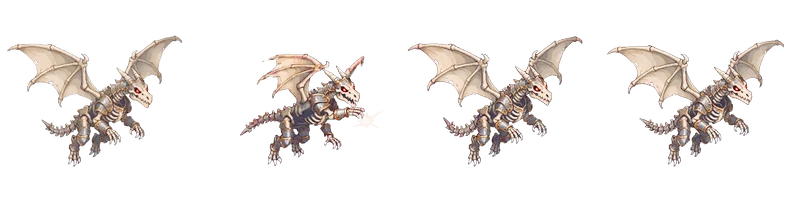
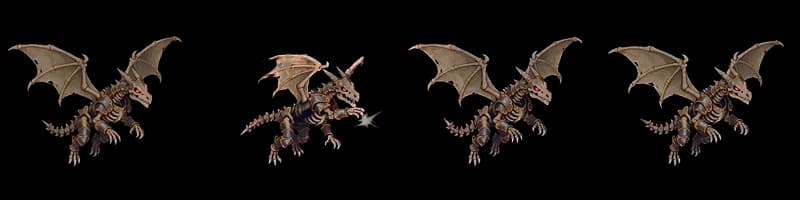
Reproducible details
- Reference
- Full body
- Validation
- 6–12 frames
- Camera
- Locked view
800×200 WebP
Consistency diagnosis
| Symptom | Likely cause | Fix |
|---|---|---|
| Face or hair changes | Face is too small/occluded or the action includes a large turn | Use a clearer reference and lock the view |
| Weapon length changes | Weapon is occluded or perspective changes | Keep the weapon visible and separate camera rotation |
| Outfit colors drift | Lighting and material language are not fixed | Lock a limited palette and one light direction |
Frequently asked questions
- Do I need a reference image for every frame?
- Usually no. One clear identity reference plus a short constrained action is more practical; add keyframe references only for complex turns or heavy occlusion.
- Why does identity drift increase in longer generations?
- Small errors become conditions for later frames and accumulate. Short actions expose drift earlier and limit propagation.
- Is pixel art automatically more consistent?
- Not automatically. Low resolution removes detail, but changes in pixel blocks, silhouette and palette become more obvious, so canvas and key poses still need control.
Next in the workflow
Run the workflow with your own asset
The browser tool needs no account; move into the character workspace only when you need a new action.
Open the free tool